About This Course
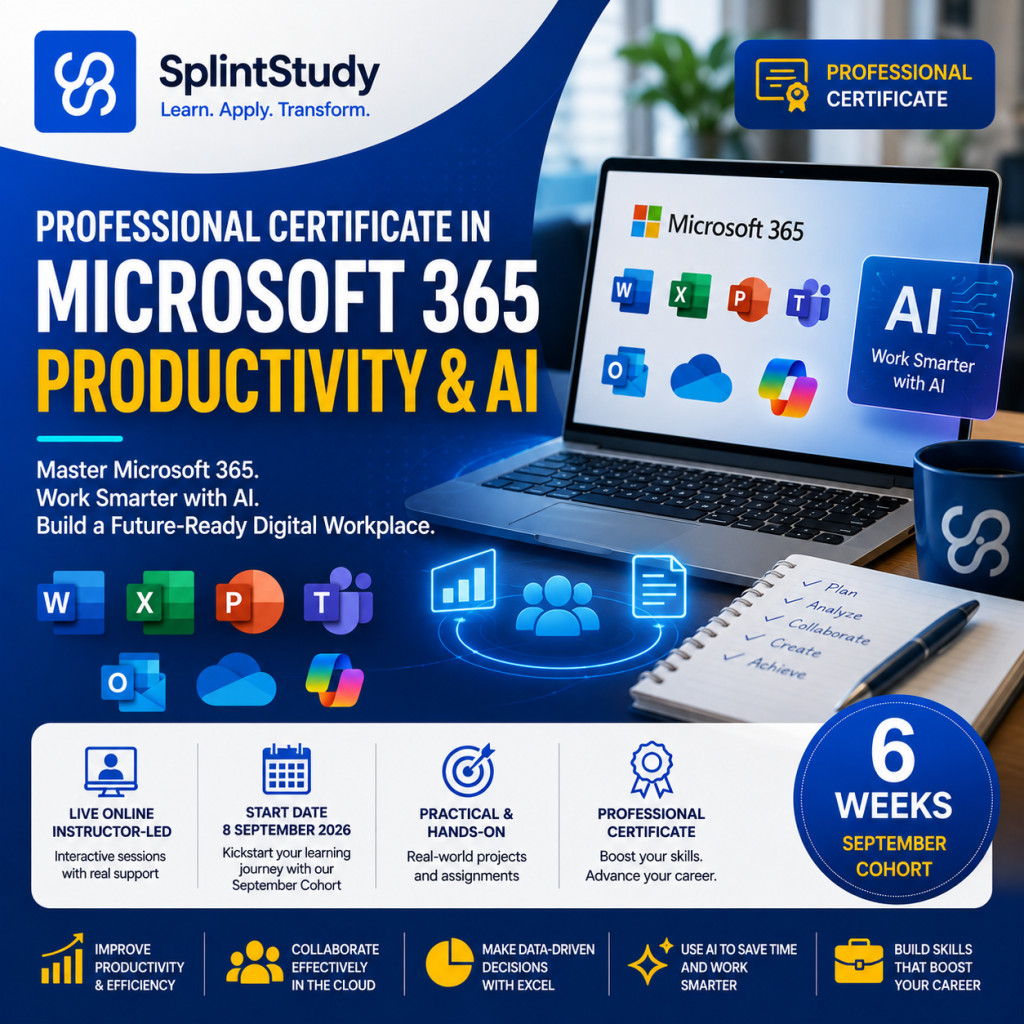
PROFESSIONAL CERTIFICATE IN MICROSOFT 365 PRODUCTIVITY & AI
Master Microsoft 365. Work Smarter with AI. Build a Future-Ready Digital Workplace.
PROGRAMME OVERVIEW
The Professional Certificate in Microsoft 365 Productivity & AI is a practical, instructor-led professional development programme designed to equip participants with the skills required to work effectively in a modern digital workplace.
The programme combines Microsoft 365 productivity tools, Excel data analysis, professional communication, digital collaboration, AI-assisted workflows and practical business applications.
Participants will learn how to use Microsoft 365 applications not as isolated tools, but as an integrated digital workplace ecosystem that supports productivity, collaboration, data-driven decision-making and professional communication.
From managing files in OneDrive and analysing business data in Excel to creating professional reports, developing executive presentations, collaborating through Microsoft Teams and using AI to enhance everyday workflows, participants will develop practical skills that can be immediately applied in the workplace.
The programme culminates in an Integrated Microsoft 365 Digital Workplace Project and a Final Capstone Presentation & Professional Portfolio, allowing participants to demonstrate their ability to combine Microsoft 365 and AI capabilities to solve realistic professional and business problems.
Programme: Professional Certificate in Microsoft 365 Productivity & AI
Duration: 6 Weeks
Format: Live Online | Instructor-Led
Total Lessons: 18 Live Lessons
Total Instructional Hours: 36 Hours
Schedule: Three Interactive Sessions per Week
Level: Beginner to Intermediate
Learning Approach: Practical | Hands-On | Project-Based
Final Assessment: Integrated Digital Workplace Project & Capstone Presentation
Award: Professional Certificate
This programme is designed for professionals, entrepreneurs, managers, administrators, students and business owners who want to improve their productivity and digital workplace capabilities.
It is suitable for:
- Business professionals.
- Managers and supervisors.
- Administrative professionals.
- Entrepreneurs and SME owners.
- Finance and accounting professionals.
- Marketing and sales professionals.
- Human resource professionals.
- Educators and trainers.
- Researchers and consultants.
- Public-sector professionals.
- NGO and development-sector professionals.
- Students and recent graduates.
- Professionals transitioning into digital roles.
- Anyone seeking practical Microsoft 365 and AI productivity skills.
No advanced programming knowledge is required.
Throughout the programme, participants will develop practical capabilities in:
- Microsoft 365 digital workplace fundamentals.
- Cloud-based productivity and file management.
- OneDrive and digital document organisation.
- Microsoft Excel data management.
- Excel formulas and functions.
- Data cleaning and preparation.
- Business data analysis.
- PivotTables and advanced analysis.
- Excel dashboards and data visualisation.
- Microsoft 365 productivity workflows.
- AI-assisted Microsoft 365 productivity.
- Microsoft Teams collaboration.
- Microsoft Word professional report development.
- AI-assisted professional writing.
- Microsoft PowerPoint presentation design.
- Data storytelling and executive communication.
- Microsoft Outlook and professional communication.
- AI-powered communication workflows.
- Integrated digital workplace workflows.
- Professional digital portfolio development.
You will graduate with:
KNOWLEDGE
A strong understanding of Microsoft 365 and the modern digital workplace.
PRODUCTIVITY SKILLS
The ability to use Microsoft 365 applications to improve everyday professional productivity.
DATA ANALYTICS SKILLS
The ability to manage, clean, analyse and visualise business data using Microsoft Excel.
COLLABORATION CAPABILITY
The ability to collaborate effectively using Microsoft Teams, OneDrive and Microsoft 365 cloud technologies.
PROFESSIONAL COMMUNICATION
The ability to create professional reports, presentations, emails and workplace communications.
AI PRODUCTIVITY CAPABILITY
The ability to use AI to enhance selected Microsoft 365 workflows and professional tasks.
DIGITAL WORKPLACE EXPERIENCE
Practical experience designing integrated Microsoft 365 workflows.
PORTFOLIO
A collection of practical Microsoft 365, data analytics and AI-enabled workplace projects.
PROFESSIONAL CREDENTIAL
A Professional Certificate demonstrating successful completion of the programme.
UNDERSTAND THE DIGITAL WORKPLACE
Learn the foundations of Microsoft 365.
↓
MASTER MICROSOFT 365
Build confidence across core productivity applications.
↓
MANAGE DATA
Organise and manage professional data in Excel.
↓
ANALYSE
Turn business data into meaningful insights.
↓
VISUALISE
Build dashboards and communicate data effectively.
↓
WORK SMARTER
Integrate Microsoft 365 applications into professional workflows.
↓
ENHANCE WITH AI
Use AI to improve productivity and professional work.
↓
COLLABORATE
Work effectively with teams using Microsoft 365.
↓
COMMUNICATE
Create professional reports, presentations and workplace communications.
↓
INTEGRATE
Build a complete digital workplace solution.
↓
DEMONSTRATE
Present your capstone and build your professional portfolio.
At SplintStudy, we believe professional education should go beyond theory.
Our approach combines structured learning with practical application to help participants develop skills that can be used in real professional environments.
Our programmes are designed to help participants:
- Build future-ready digital skills.
- Improve workplace productivity.
- Master practical Microsoft 365 capabilities.
- Develop data analysis skills.
- Communicate professionally.
- Collaborate effectively.
- Use AI responsibly to enhance productivity.
- Solve real-world workplace problems.
- Build practical professional portfolios.
- Develop evidence of digital competence.
- Prepare for the evolving future of work.
Our focus is not simply on teaching people how to use individual Microsoft applications.
Our goal is to help participants develop the knowledge, confidence and practical capability to integrate Microsoft 365 and AI into the way they work.
The future of work is increasingly digital and AI-enabled.
The opportunity is not simply to know how to use software.
The opportunity is to learn how to work smarter, analyse better, communicate effectively, collaborate seamlessly and use AI responsibly.
Whether you want to:
- Accelerate your career.
- Improve your workplace productivity.
- Master Microsoft 365.
- Strengthen your Excel and data analysis skills.
- Create professional reports and presentations.
- Improve collaboration.
- Use AI to enhance your daily work.
- Build a professional digital portfolio.
- Prepare for the future of work.
This programme provides a structured pathway to develop practical Microsoft 365, digital workplace and AI productivity capabilities.
Learn Microsoft 365.
Work Smarter.
Analyse Better.
Collaborate Effectively.
Enhance Your Work with AI.
Build Your Digital Workplace Capability.
Take the next step toward becoming a productive, digitally capable professional ready to contribute, innovate and succeed in an increasingly AI-enabled workplace.
Course Syllabus
THE 6-WEEK PROGRAMME CURRICULUM
Focus
Build a strong foundation in Microsoft 365 and understand how its applications work together to support modern digital workplaces, cloud-based productivity and professional collaboration.
LESSON 1 — MICROSOFT 365 FOUNDATIONS & DIGITAL WORKPLACE
Participants are introduced to Microsoft 365 and the modern digital workplace.
Key Topics
- Understanding Microsoft 365.
- The modern digital workplace.
- Microsoft 365 productivity ecosystem.
- Cloud-based productivity.
- Digital transformation and workplace productivity.
- Core Microsoft 365 applications.
- Understanding integrated digital workflows.
- Microsoft 365 for professionals and organisations.
Practical Application
Participants map their current professional workflow and identify opportunities where Microsoft 365 can improve productivity, collaboration and information management.
Practical Assignment
Develop a Personal Digital Workplace Improvement Plan identifying at least five areas where Microsoft 365 can improve an existing professional or business workflow.
LESSON 2 — MICROSOFT 365 ACCOUNT, INTERFACE & CLOUD ECOSYSTEM
Focus
Develop practical confidence navigating the Microsoft 365 environment and understanding how cloud-based applications and services work together.
Key Topics
- Microsoft 365 account environment.
- Microsoft 365 interface.
- Application launcher.
- Microsoft 365 web applications.
- Cloud computing fundamentals.
- Microsoft 365 cloud ecosystem.
- Accessing applications and services.
- Understanding local versus cloud-based files.
- Cloud-based collaboration.
Practical Application
Participants navigate the Microsoft 365 environment and access core applications.
Practical Assignment
Create a Microsoft 365 Digital Workspace Setup Checklist and configure a professional cloud-based working environment.
LESSON 3 — ONEDRIVE & DIGITAL FILE MANAGEMENT
Focus
Develop professional digital file management and cloud storage skills using OneDrive.
Key Topics
- OneDrive fundamentals.
- Cloud file storage.
- Folder structures.
- File naming conventions.
- File organisation.
- File sharing.
- Sharing permissions.
- File synchronisation.
- Version management.
- Document collaboration.
- Digital file security.
Practical Application
Participants create a professional OneDrive folder structure and organise a simulated business or professional document repository.
Practical Assignment
Develop a Professional Digital File Management System using OneDrive, including a structured folder hierarchy, naming conventions and sharing rules.
Focus
Build a strong foundation in Microsoft Excel and develop the ability to organise, manage and prepare data for analysis.
LESSON 4 — EXCEL FOUNDATIONS & DATA MANAGEMENT
Key Topics
- Excel interface.
- Workbooks and worksheets.
- Cells and ranges.
- Data types.
- Data entry.
- Formatting.
- Excel tables.
- Sorting and filtering.
- Spreadsheet organisation.
- Basic data management.
Practical Application
Participants create a structured business dataset using Microsoft Excel.
Practical Assignment
Develop a Professional Excel Data Management Workbook using a real or simulated business dataset.
LESSON 5 — EXCEL FORMULAS & FUNCTIONS
Focus
Use formulas and functions to automate calculations and extract useful information from business data.
Key Topics
- Excel formula fundamentals.
- Relative and absolute references.
- Mathematical functions.
- SUM.
- AVERAGE.
- COUNT.
- IF.
- SUMIF.
- COUNTIF.
- Lookup functions.
- XLOOKUP.
- Formula troubleshooting.
Practical Application
Participants apply formulas and functions to solve practical business problems.
Practical Assignment
Develop an Excel Business Calculation Model that uses formulas and functions to automate key business calculations.
LESSON 6 — EXCEL DATA CLEANING & ORGANISATION
Focus
Prepare business data for reliable analysis by identifying and correcting common data quality problems.
Key Topics
- Data quality.
- Duplicate records.
- Missing values.
- Inconsistent formatting.
- Data validation.
- Sorting and filtering.
- Text functions.
- Data standardisation.
- Data preparation.
- Excel data cleaning techniques.
Practical Application
Participants clean and standardise a deliberately inconsistent business dataset.
Practical Assignment
Submit a Cleaned and Analysis-Ready Business Dataset together with a short data cleaning report documenting the changes made.
Focus
Transform structured data into meaningful business insights and communicate findings through professional dashboards and visualisations.
LESSON 7 — EXCEL DATA ANALYSIS
Key Topics
- Data analysis fundamentals.
- Analytical thinking.
- Business questions.
- Key Performance Indicators.
- Summary analysis.
- Trend analysis.
- Comparative analysis.
- Identifying patterns.
- Interpreting results.
- Turning data into insights.
Practical Application
Participants analyse a business dataset to identify trends, performance patterns and key findings.
Practical Assignment
Develop a Business Data Analysis Report containing key findings, trends and actionable recommendations.
LESSON 8 — PIVOTTABLES & ADVANCED ANALYSIS
Focus
Use PivotTables and advanced Excel features to analyse and summarise large datasets efficiently.
Key Topics
- PivotTables.
- PivotCharts.
- Data grouping.
- Filtering.
- Slicers.
- Multi-dimensional analysis.
- Advanced data summaries.
- Business intelligence concepts.
Practical Application
Participants build PivotTables and PivotCharts to analyse a realistic business dataset.
Practical Assignment
Develop a PivotTable-Based Business Performance Analysis highlighting key performance indicators and trends.
LESSON 9 — EXCEL DASHBOARDS & DATA VISUALISATION
Focus
Transform business data into professional dashboards that communicate insights clearly to decision-makers.
Key Topics
- Data visualisation principles.
- Selecting appropriate charts.
- KPI cards.
- Dashboard design.
- Visual hierarchy.
- Interactive filtering.
- Slicers.
- Dashboard storytelling.
- Communicating insights to non-technical audiences.
Practical Application
Participants create an interactive Excel dashboard for a simulated organisation.
Practical Assignment
Develop a Professional Excel Business Dashboard with KPIs, charts and actionable insights.
Focus
Integrate Microsoft 365 applications and AI capabilities to create smarter, faster and more effective professional workflows.
LESSON 10 — MICROSOFT 365 PRODUCTIVITY WORKFLOWS
Key Topics
- Integrated Microsoft 365 workflows.
- Word and Excel integration.
- Excel and PowerPoint integration.
- Outlook productivity.
- OneDrive file management.
- Teams collaboration.
- Moving information between applications.
- Workflow optimisation.
- Repeatable professional workflows.
Practical Application
Participants design an integrated Microsoft 365 workflow for a realistic business task.
Practical Assignment
Develop a Microsoft 365 Integrated Productivity Workflow that connects at least three Microsoft 365 applications.
LESSON 11 — AI-ASSISTED MICROSOFT 365 PRODUCTIVITY
Focus
Learn how AI can enhance Microsoft 365 productivity and support professional work while maintaining human judgement and quality control.
Key Topics
- AI-assisted productivity.
- Microsoft Copilot.
- AI-assisted document creation.
- AI-assisted writing.
- AI-assisted summarisation.
- AI-assisted data interpretation.
- AI-assisted presentations.
- Meeting preparation.
- AI prompt techniques.
- AI output verification.
- Responsible AI use.
Practical Application
Participants use AI to improve selected professional tasks involving documents, data, communication and information processing.
Practical Assignment
Develop an AI-Enhanced Microsoft 365 Productivity Workflow demonstrating how AI can improve an existing professional task.
LESSON 12 — INTEGRATED EXCEL BUSINESS ANALYTICS PROJECT
Focus
Bring together Excel data management, formulas, analysis, PivotTables and dashboards in an integrated business analytics project.
Practical Application
Participants will:
- Clean and organise a business dataset.
- Apply formulas and functions.
- Analyse business performance.
- Create PivotTables.
- Develop visualisations.
- Build a professional dashboard.
- Identify key insights.
- Prepare management recommendations.
Practical Assignment
Complete an Integrated Excel Business Analytics Project and present the findings in a professional management-ready format.
Focus
Develop professional communication, collaboration, reporting and presentation capabilities using Microsoft 365.
LESSON 13 — MICROSOFT 365 PRODUCTIVITY & COLLABORATION
Key Topics
- Microsoft Teams.
- Team communication.
- Channels.
- Collaborative workspaces.
- OneDrive collaboration.
- SharePoint concepts.
- Co-authoring.
- File sharing.
- Permissions.
- Version control.
- Digital teamwork.
Practical Application
Participants simulate a collaborative workplace project using Microsoft Teams and shared Microsoft 365 resources.
Practical Assignment
Develop a Collaborative Digital Workplace Workflow demonstrating how a team can use Microsoft 365 to manage a project.
LESSON 14 — MICROSOFT WORD PROFESSIONAL REPORTS & AI-ASSISTED WRITING
Focus
Develop professional reports and business documents while using AI responsibly to support writing, editing and document improvement.
Key Topics
- Professional report structure.
- Document formatting.
- Styles and headings.
- Tables.
- Page layouts.
- Headers and footers.
- References.
- Professional document design.
- AI-assisted writing.
- AI-assisted editing.
- AI-assisted summarisation.
- Human review and verification.
Practical Application
Participants develop a professional business report using Microsoft Word and appropriate AI assistance.
Practical Assignment
Create a Professional Business Report using Microsoft Word, incorporating appropriate AI-assisted drafting or editing.
LESSON 15 — POWERPOINT PROFESSIONAL PRESENTATIONS & DATA STORYTELLING
Focus
Transform business information and data into professional presentations that communicate insights clearly and persuasively.
Key Topics
- PowerPoint fundamentals.
- Professional presentation structure.
- Slide design.
- Visual hierarchy.
- Data storytelling.
- Excel charts in PowerPoint.
- Executive presentations.
- Presenting insights.
- Persuasive communication.
- AI-assisted presentation development.
Practical Application
Participants transform the findings from their Excel analytics project into an executive PowerPoint presentation.
Practical Assignment
Develop a Professional Executive Presentation that communicates business insights and recommendations to a management audience.
Focus
Integrate the skills developed throughout the programme into a complete Microsoft 365 digital workplace solution.
LESSON 16 — OUTLOOK, TEAMS & AI-POWERED COMMUNICATION
Key Topics
- Professional email communication.
- Microsoft Outlook.
- Calendar management.
- Meeting scheduling.
- Meeting agendas.
- Microsoft Teams meetings.
- Meeting notes.
- Action items.
- AI-assisted email drafting.
- AI-assisted meeting summaries.
- AI-powered communication workflows.
- Professional communication standards.
Practical Application
Participants simulate a complete professional communication workflow from meeting scheduling to follow-up.
Practical Assignment
Develop an AI-Assisted Professional Communication Workflow covering email, meeting scheduling, meeting documentation and follow-up actions.
LESSON 17 — INTEGRATED MICROSOFT 365 DIGITAL WORKPLACE PROJECT
Focus
Bring together the full range of Microsoft 365 and AI productivity skills developed throughout the programme.
Participants will complete an integrated workplace scenario involving:
- OneDrive or SharePoint file management.
- Excel data preparation.
- Excel business analysis.
- PivotTables.
- Excel dashboard.
- Word professional report.
- PowerPoint executive presentation.
- Microsoft Teams collaboration.
- Outlook communication.
- AI-assisted productivity.
- Professional workflow integration.
Practical Assignment
Complete the Integrated Microsoft 365 Digital Workplace Project.
The project demonstrates the participant's ability to move from raw information and business requirements to a complete professional digital workplace solution.
LESSON 18 — FINAL CAPSTONE PRESENTATION & PROFESSIONAL PORTFOLIO
The programme culminates in a practical capstone presentation.
Participants present their integrated Microsoft 365 Digital Workplace Project and demonstrate how Microsoft 365 and AI can be used to improve productivity, collaboration, communication and decision-making.
Capstone Components
- Workplace or organisational background.
- Identification of a professional or business challenge.
- Current workflow analysis.
- Microsoft 365 solution design.
- Data management and analysis.
- Excel dashboard or analytical output.
- Professional Word report.
- PowerPoint executive presentation.
- Microsoft Teams collaboration workflow.
- Outlook communication workflow.
- AI-assisted productivity application.
- Responsible AI considerations.
- Digital workplace implementation plan.
- Expected productivity improvements.
- Key Performance Indicators.
- Final professional presentation.
Final Professional Portfolio
Participants compile selected work developed throughout the programme into a professional digital portfolio.
The portfolio may include:
- Personal Digital Workplace Improvement Plan.
- Microsoft 365 Workspace Setup.
- OneDrive File Management System.
- Excel Data Management Workbook.
- Excel Business Calculation Model.
- Cleaned Business Dataset.
- Business Data Analysis Report.
- PivotTable Analysis.
- Excel Business Dashboard.
- Microsoft 365 Productivity Workflow.
- AI-Enhanced Productivity Workflow.
- Excel Business Analytics Project.
- Collaborative Digital Workplace Workflow.
- Professional Word Report.
- Executive PowerPoint Presentation.
- AI-Assisted Communication Workflow.
- Integrated Digital Workplace Project.
- Final Capstone Presentation.
By the end of the programme, participants will have more than a certificate.
They will have practical evidence of their ability to use Microsoft 365 and AI to perform professional tasks, analyse data, communicate insights, collaborate with teams and improve workplace productivity.
$249.00 $149.00
Time Limited
Includes
- Live instructor-led sessions.
- Microsoft 365 demonstrations.
- Practical concepts and frameworks.
- Guided tool demonstrations.
- Hands-on laboratories.
- Real-world workplace scenarios.
- Business case studies.
- Weekly practical exercises.
- Microsoft 365 workflow design.
- Excel data analysis.
- Professional document creation.
- Data visualisation.
- AI-assisted productivity.
- Collaborative activities.
- Individual projects.
- Instructor feedback.
- Microsoft Excel.
- Microsoft Word.
- Microsoft PowerPoint.
- Microsoft Outlook.
- Microsoft Teams.
- Microsoft OneDrive.
- Microsoft SharePoint concepts.
- Microsoft Excel.
- Excel Tables.
- Excel Formulas and Functions.
- PivotTables.
- PivotCharts.
- Excel Dashboards.
- Data Visualisation.
- Microsoft Copilot.
- AI-assisted document creation.
- AI-assisted professional writing.
- AI-assisted data interpretation.
- AI-assisted presentations.
- AI-assisted communication.
- AI-assisted meeting summaries.
- AI-powered productivity workflows.
- Microsoft Teams.
- OneDrive.
- SharePoint concepts.
- Cloud collaboration.
- Document co-authoring.
- Digital file management.
- Collaborative workflows.
- Digital Workplace Improvement Plan.
- Microsoft 365 Workspace Setup.
- OneDrive File Management System.
- Excel Data Management Workbook.
- Excel Business Calculation Model.
- Cleaned Business Dataset.
- Business Data Analysis Report.
- PivotTable Analysis.
- Excel Business Dashboard.
- Microsoft 365 Productivity Workflow.
- AI-Enhanced Productivity Workflow.
- Integrated Excel Business Analytics Project.
- Collaborative Digital Workplace Workflow.
- Professional Word Report.
- Executive PowerPoint Presentation.
- AI-Assisted Communication Workflow.
- Integrated Microsoft 365 Digital Workplace Project.
- Final Capstone Presentation.
- Meet the minimum attendance requirement.
- Complete required practical exercises.
- Complete module assignments.
- Complete the Integrated Excel Business Analytics Project.
- Complete the Integrated Microsoft 365 Digital Workplace Project.
- Successfully complete the Final Capstone Presentation.
- Submit the required Professional Portfolio.
- Meet the programme's minimum assessment requirements.
Every week combines:
The programme follows a structured learning model:
SESSION 1
Concepts, Principles & Foundations
SESSION 2
Strategies, Techniques & Professional Applications
SESSION 3
Practical Labs, Projects & Hands-On Implementation
This ensures participants develop both conceptual understanding and practical digital workplace capability.
Participants will gain practical exposure to a range of Microsoft productivity and AI technologies.
MICROSOFT 365 PRODUCTIVITY
DATA & ANALYTICS
AI-POWERED PRODUCTIVITY
COLLABORATION & DIGITAL WORKPLACE
IMPORTANT
The Microsoft 365 and AI ecosystem continues to evolve.
Specific features and capabilities introduced during the programme may be updated to reflect the latest available Microsoft 365 and AI technologies.
The focus is not simply on memorising individual Microsoft applications.
The goal is to develop the ability to select, integrate and apply appropriate Microsoft 365 and AI capabilities to real-world professional and organisational challenges.
Throughout the programme, you will build a portfolio of practical professional work.
Your portfolio may include:
By the end of the programme, you will have evidence of your ability to apply Microsoft 365 and AI to real professional and organisational challenges.
Your progress will be evaluated through continuous practical assessment.
WEEKLY PRACTICAL EXERCISES
20%
Apply Microsoft 365 and AI concepts through guided practical activities and workplace scenarios.
MODULE ASSIGNMENTS
20%
Complete structured practical assignments aligned with each stage of the programme.
PARTICIPATION & ATTENDANCE
10%
Participate actively in live sessions, discussions, practical activities and collaborative learning.
INTEGRATED DIGITAL WORKPLACE PROJECT
20%
Design and demonstrate an integrated Microsoft 365 and AI-enabled workplace solution.
FINAL CAPSTONE & PROFESSIONAL PORTFOLIO
30%
Present a comprehensive digital workplace solution and submit a professional portfolio demonstrating practical competence.
TOTAL
100%
Upon successful completion of the programme, participants will receive:
PROFESSIONAL CERTIFICATE IN MICROSOFT 365 PRODUCTIVITY & AI
To qualify for the certificate, participants must:
The certificate recognises the successful completion of a structured professional development programme focused on the practical application of Microsoft 365, data analytics, digital collaboration and AI-assisted workplace productivity.